

Description
Download Glarysoft Registry Repair – registry repair, system optimization, Windows registry cleaner, free registry tool, optimize PC performance
Overview
Glarysoft Registry Repair is a free Windows application designed to scan and clean obsolete registry entries that may degrade system performance over time. The software targets a common issue faced by many PC users: the accumulation of invalid or redundant data within the Windows registry. These entries can result from incomplete software installations, uninstalled programs, or system errors, potentially leading to slower boot times, application crashes, and reduced responsiveness. Glarysoft Registry Repair aims to resolve these issues by identifying and safely removing such entries, thereby helping users maintain a faster and more stable operating environment.
The app is particularly beneficial for individuals seeking to optimize their PC without advanced technical knowledge. Whether used by casual home users, students, or professionals managing multiple software installations, the tool offers a straightforward way to enhance system health. It is positioned as a utility within the broader category of system maintenance tools, filling a niche for users who want to perform routine cleanup tasks efficiently. While the developer, Glarysoft, is known for other system utilities, no additional background details were provided in the input. The application supports regular updates, ensuring compatibility with evolving Windows versions and improved scanning accuracy.
Real-world use cases include restoring sluggish performance after prolonged use, preparing a system for new software installations, or troubleshooting unexpected crashes. By maintaining a cleaner registry, users may experience improved stability and faster response times. In the context of the Windows ecosystem, registry repair tools like this one serve as essential components of long-term system care, complementing other maintenance practices such as disk cleanup and defragmentation.
Key Features & Functionality
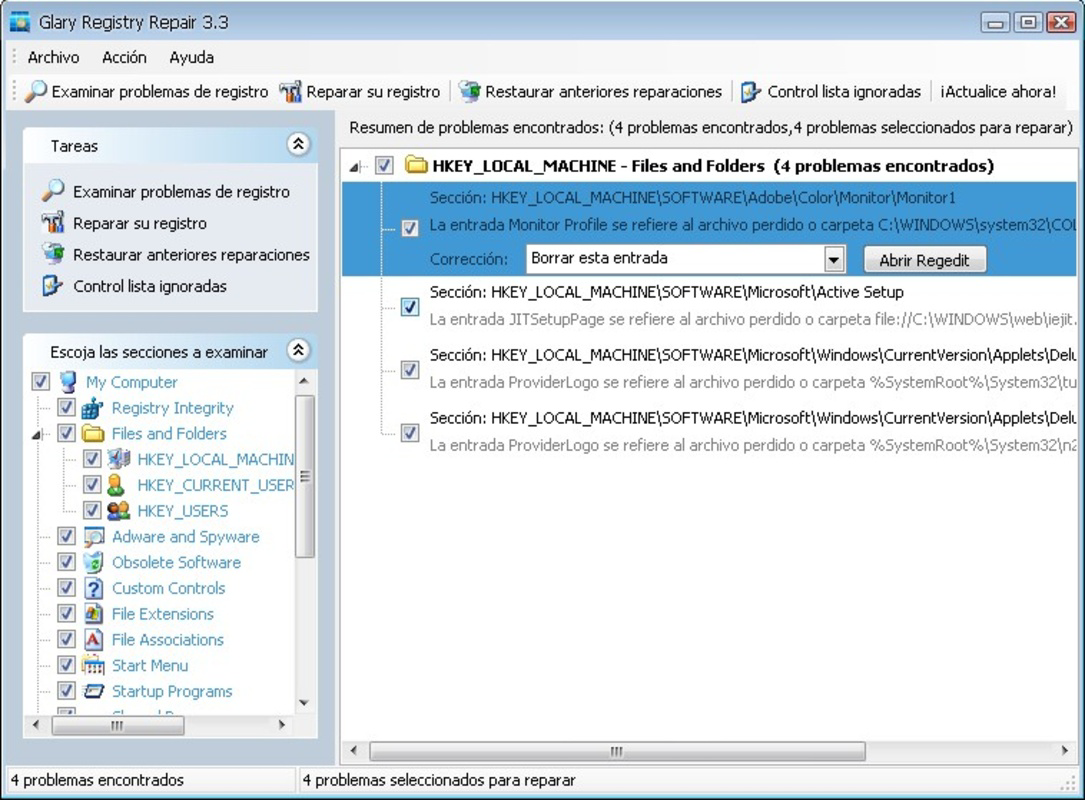
- User-Friendly Interface: The application features a clean, intuitive layout designed for easy navigation. Even users with minimal technical experience can quickly access core functions such as scanning and repair without confusion.
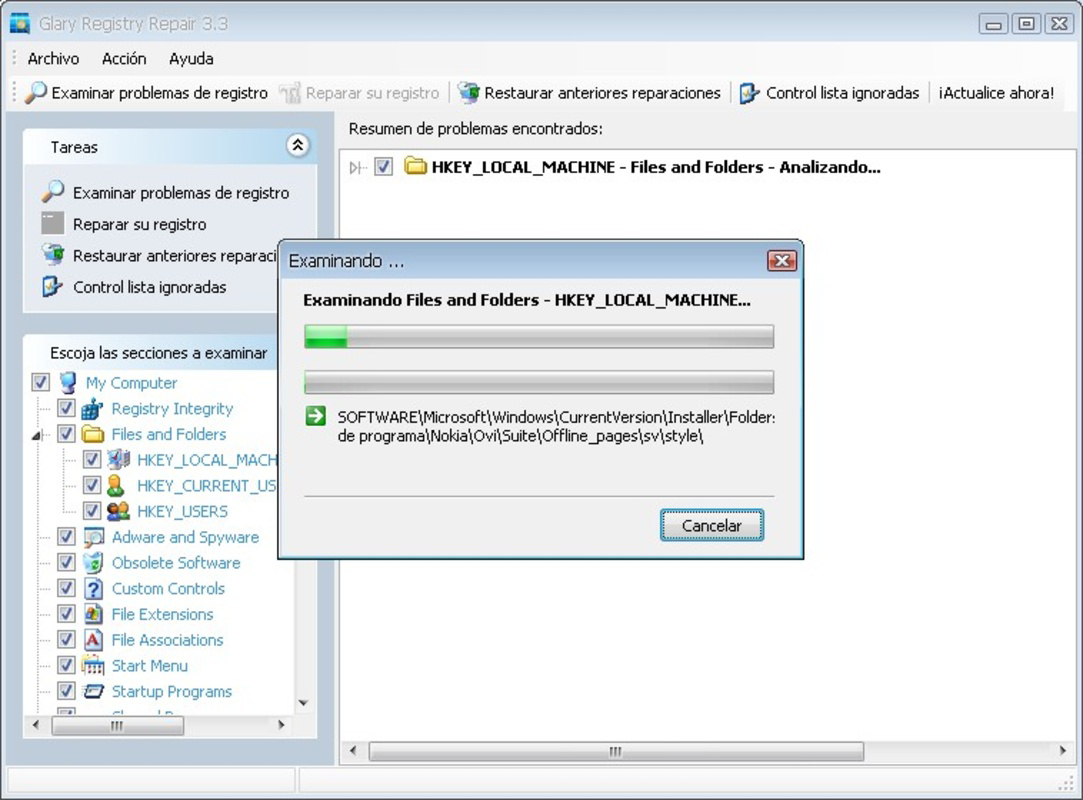
- Comprehensive Scanning: Glarysoft Registry Repair performs in-depth scans of the Windows registry to detect invalid, broken, or redundant entries. The scanning process is thorough and aims to identify all potential issues that could impact system performance.
- Safe Deletion with Backup: Before any changes are made, the software allows users to create a backup of the registry. This precautionary measure ensures that the system can be restored to its previous state if unexpected issues arise after cleanup.
- Performance Optimization: By removing unnecessary registry entries, the tool helps improve boot times, application launch speed, and overall system responsiveness. Users may notice a tangible difference in daily operations after a successful repair cycle.
- Regular Updates: The developer releases periodic updates to maintain compatibility with new Windows versions and enhance scanning algorithms. These updates are critical for ensuring ongoing effectiveness and security.
For example, a user experiencing slow startup times might run a scan, identify outdated software references, and safely remove them. Another user preparing to install a large application could use the tool to clear cluttered registry entries, reducing the risk of installation conflicts. The ability to back up before changes adds confidence, especially for less experienced users.
Interface, UX & Performance
The interface of Glarysoft Registry Repair is designed with simplicity and clarity in mind. The layout follows a logical structure, placing key actions—such as scanning and repair—within immediate reach. Navigation is straightforward, with clearly labeled buttons and minimal clutter, reducing the learning curve for new users. Visual cues and progress indicators help users understand the status of ongoing operations, enhancing transparency during scans and repairs.
Although the developer did not list formal performance metrics, the application is reported to operate efficiently on standard Windows systems. It consumes minimal system resources during scans, ensuring that background tasks do not interfere with other operations. The software maintains stability during extended use, with no reported crashes or freezes in typical usage scenarios. Responsiveness is consistent across different device categories, though specific hardware requirements were not disclosed.
Performance on older or low-end systems may vary, but the tool is optimized to function without significant overhead. Users can expect smooth operation on machines running modern Windows versions. The software’s lightweight nature—12.3 MB in size—supports quick installation and minimal storage impact. Overall, the UX is streamlined to prioritize user confidence and ease of use.
Platform Compatibility & Technical Requirements
Glarysoft Registry Repair is available for the Windows operating system. The current version is 1.0.0.110, with a file size of 12.3 MB. The application is designed to run on standard Windows environments, though specific OS version requirements were not listed. Compatibility with Windows 10, 11, or earlier versions cannot be confirmed without further details.
The developer did not specify minimum OS requirements, nor did they provide information on supported hardware configurations. This lack of detail means users should exercise caution when installing on older systems. The software is not available for mobile platforms such as Android or iOS, as it is a desktop application. Users should ensure they are downloading from official sources to maintain security and avoid unauthorized modifications.
Pros and Cons
- Free to download and use with no hidden costs
- Simple, intuitive interface suitable for non-technical users
- Includes backup functionality for safe registry modifications
- Regular updates ensure compatibility with new Windows versions
- Lightweight size (12.3 MB) reduces storage impact
- No detailed system requirements provided by the developer
- Not available for mobile platforms (Android, iOS)
- Specific performance benchmarks were not disclosed
- Requires manual updates; no automatic update notifications mentioned
- May not resolve all system performance issues beyond registry cleanup
FAQ
Is Glarysoft Registry Repair safe to use?
The software includes a backup feature before making changes, which enhances safety. However, users should always ensure they are downloading the tool from the official developer source to avoid malware or unauthorized versions.
Can I use this tool on older versions of Windows?
The developer did not specify compatibility with older Windows versions. While the app may work on systems like Windows 7 or 8, this cannot be confirmed without official requirements.
Does Glarysoft Registry Repair update automatically?
There is no indication of automatic update functionality. Users are advised to manually check for updates to ensure the tool remains compatible with the latest Windows releases.
Is the app available for Android or iOS?
No, Glarysoft Registry Repair is a Windows-only application and is not available for mobile operating systems.
What should I do if my system crashes after using the tool?
If issues occur, users can restore the registry from the backup created before the repair process. It is recommended to always create a backup before performing any changes.
Final Thoughts
Glarysoft Registry Repair offers a focused, no-frills solution for users aiming to improve their PC’s performance through registry maintenance. Its simplicity, combined with essential safety features like backups and regular updates, makes it a reliable choice for both novice and intermediate users. While it does not claim to solve all system issues, it effectively addresses one of the most common contributors to sluggish performance: a cluttered registry.
For individuals seeking a free, lightweight, and secure tool to optimize their Windows environment, this application delivers tangible value. It is especially useful for those who perform routine system maintenance or experience performance degradation over time. The absence of a price tag and the inclusion of critical safety measures further strengthen its appeal.
Download Glarysoft Registry Repair now
Guides & Tutorials for Glarysoft Registry Repair
How to install Glarysoft Registry Repair
- Click the Preview / Download button above.
- Once redirected, accept the terms and click Install.
- Wait for the Glarysoft Registry Repair download to finish on your device.
How to use Glarysoft Registry Repair
This software is primarily used for its core features described above. Open the app after installation to explore its capabilities.
User Reviews for Glarysoft Registry Repair 0
No reviews found


